For iPhone · any menu, any language

Photograph the menu.
Know what to order.

MenuLens reads a photo of the menu and explains every dish in plain English — what it is, how it's cooked, what it tastes like. Then it picks two or three worth ordering based on the tastes you saved, and flags the dishes likely to contain your allergens.

your first scan is free · no account, no card

Native script + English牛タン塩焼き · Gyūtan Shioyaki
Prices in your currency¥880 · $5.73
Heat on a 0–3 scaleplus a numbing flag
Allergens flaggedalways confirm with the server

See it in action

A real izakaya menu, start to finish.

Recorded from the app. The menu is in Japanese; the person holding the phone doesn't read it.

Open a dish before orderingphotos, native script, what's likely inside
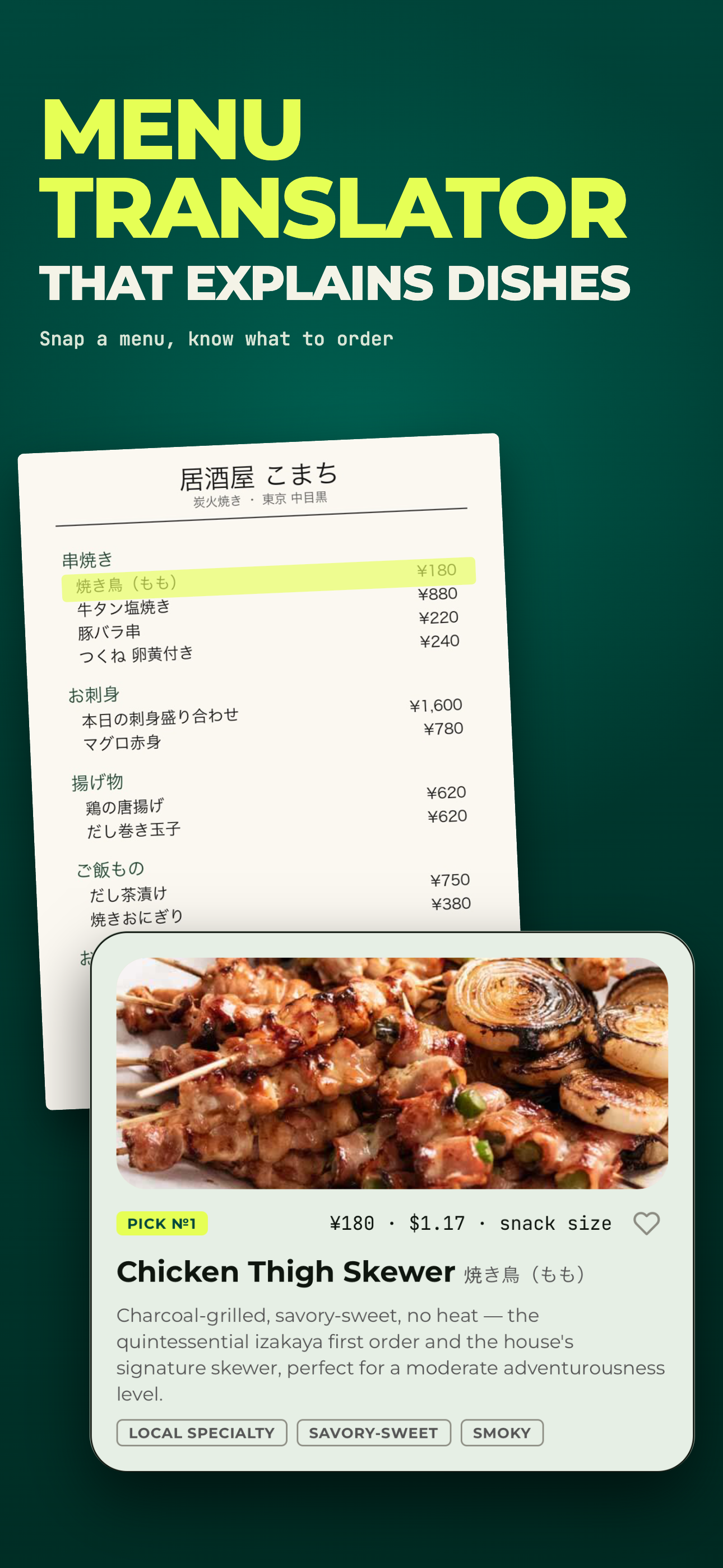
Menu results: the ORDER THIS band with PICK №1 Chicken Thigh Skewer and PICK №2 Pork Belly Skewer, each with a photo, yen and dollar prices and a one-line reason, above the izakaya otoshi note
Picks land on top, with the reasonand the venue's convention, up front

01 · Scan

Two pages, one tap.

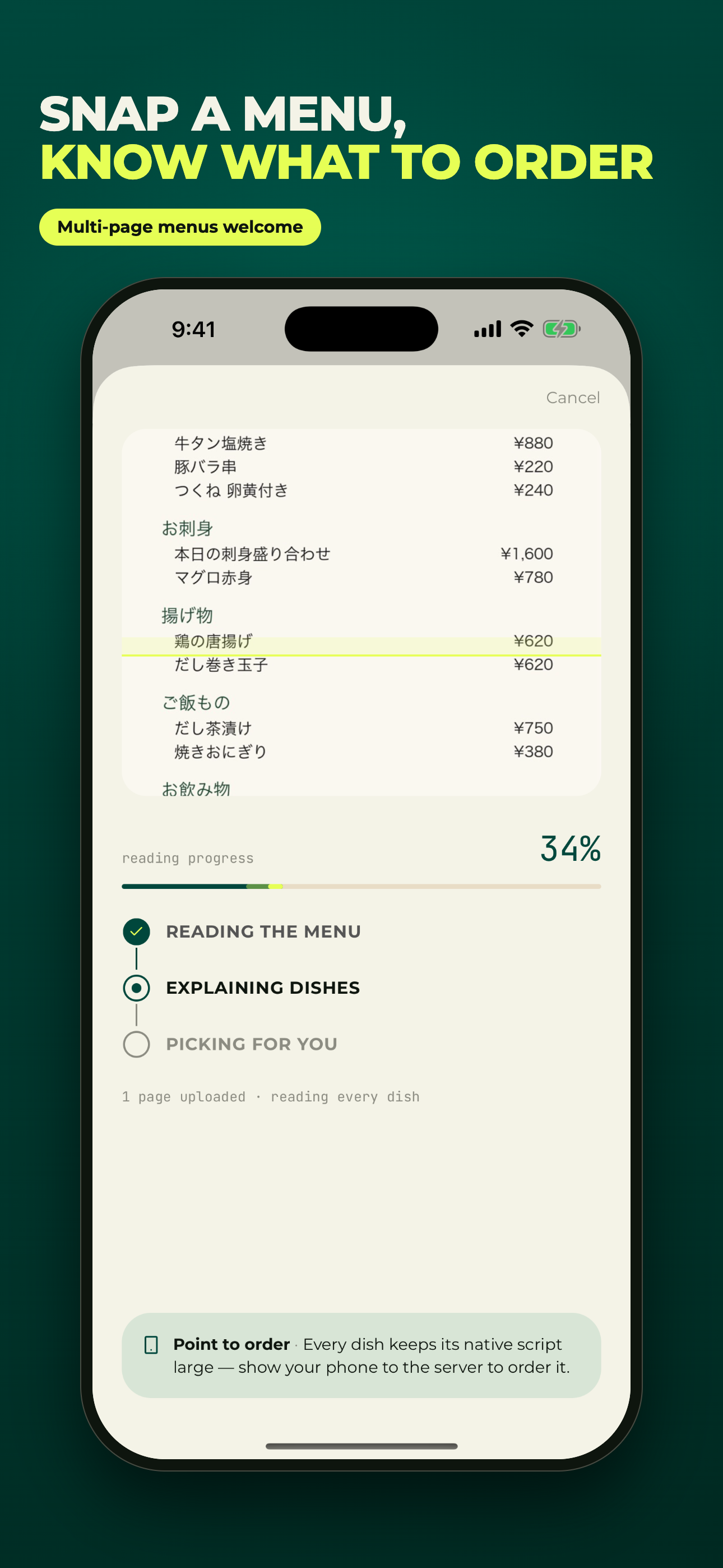
Take a photo or import one from your library — up to two pages per menu. The app works out the language on its own, keeps the menu's own sections, and shows each stage as it reads, explains and picks. No signal? The pages queue and process the moment you're back online.

Camera or photo library Language detected automatically Offline queue
Scan processing: a Japanese menu page uploaded, reading progress at 34%, with the stages Reading the menu, Explaining dishes and Picking for you

02 · Every dish explained

Not a translation. An explanation.

Each dish gets its name in the original script with a romanization you can say out loud, an English name, one sentence on what it is and how it's cooked, a tastes-like line, a heat reading on a 0–3 scale with a separate flag for Sichuan-peppercorn numbing, and the printed price converted to your home currency. Sections stay the way the menu had them.

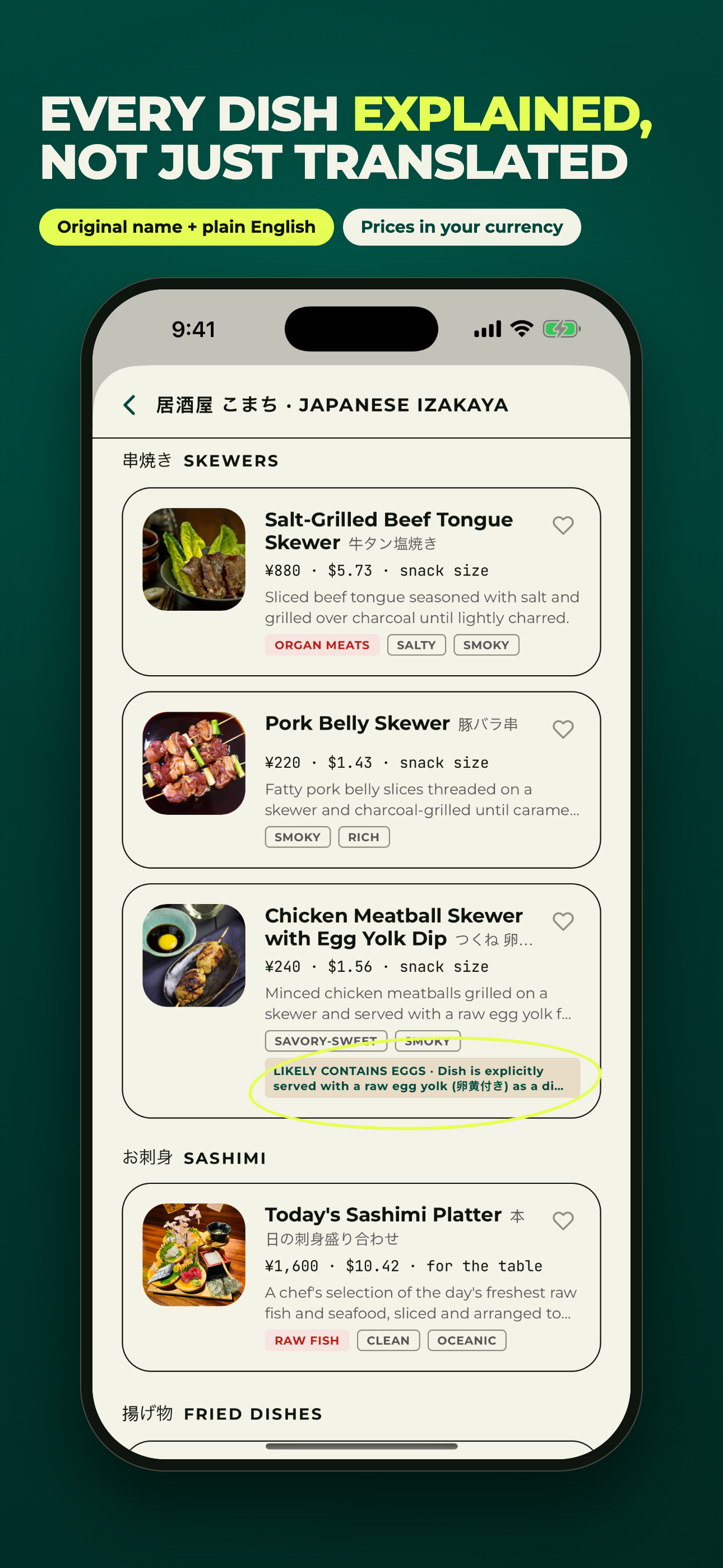
牛タン塩焼き · Gyūtan Shioyaki ¥880 · $5.73 · snack size heat 0/3 Organ meats
The dish list grouped under the menu's own 串焼き SKEWERS section: Salt-Grilled Beef Tongue and Chicken Meatball Skewer with photo thumbnails, native names, converted prices and an ORGAN MEATS chip

03 · Order this

Two or three picks, with the reason.

Picks are ranked against the tastes you saved — spice tolerance, how adventurous you are, what you love and what you avoid — and each one says why in a line. A dish with a likely allergen, a dietary conflict or a texture you've ruled out is never picked. A short venue note covers the local convention up front, like the izakaya's obligatory otoshi appetiser, so the bill doesn't surprise you.

Pick №1Chicken Thigh Skewer Local specialty Savory-sweet
ORDER THIS band: PICK №1 Chicken Thigh Skewer, ¥180 · $1.17, with the reason 'Charcoal-grilled, savory-sweet, no heat — the quintessential izakaya gateway dish', above PICK №2 Pork Belly Skewer

04 · See it, then ask

See the dish. Know what's likely in it.

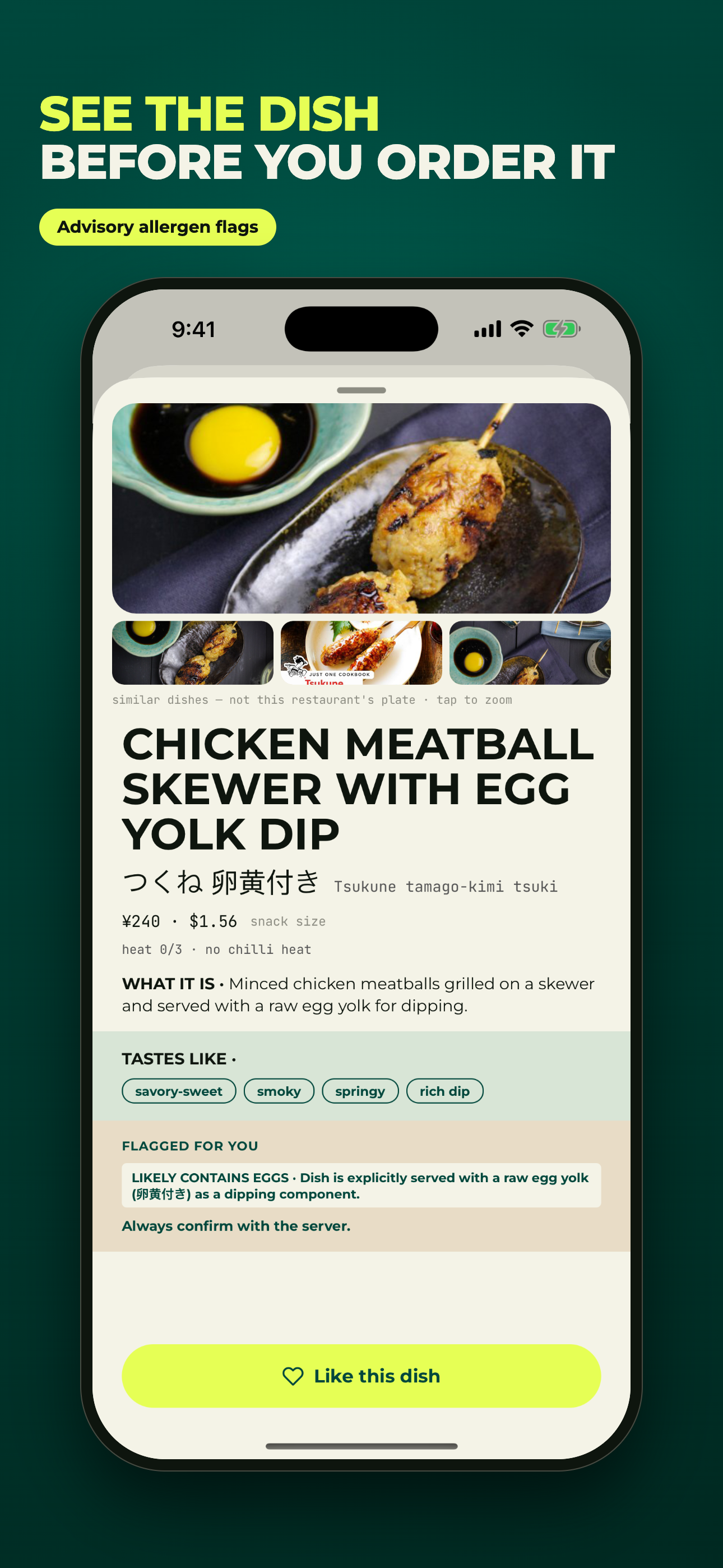
Open any dish for representative photos (labelled as such — not this restaurant's plate), the native script set large enough to show the server, and an advisory band: which of your allergens are likely or possible, and the ingredient-level reason — dashi in the broth, wheat in the soy sauce, a raw yolk dip. It's advisory. The app never clears a dish as safe; you always confirm with the server.

Likely contains eggs · raw yolk dip Tastes like: clean · savory · lightly smoky
Dish detail for Salt-Grilled Beef Tongue: photo hero and three thumbnails, 牛タン塩焼き with romanization, ¥880 · $5.73, heat 0/3, WHAT IT IS, TASTES LIKE chips, a texture advisory and the line 'Always confirm with the server', with a lime Like this dish button

05 · Your tastes

Set it once. Every menu after.

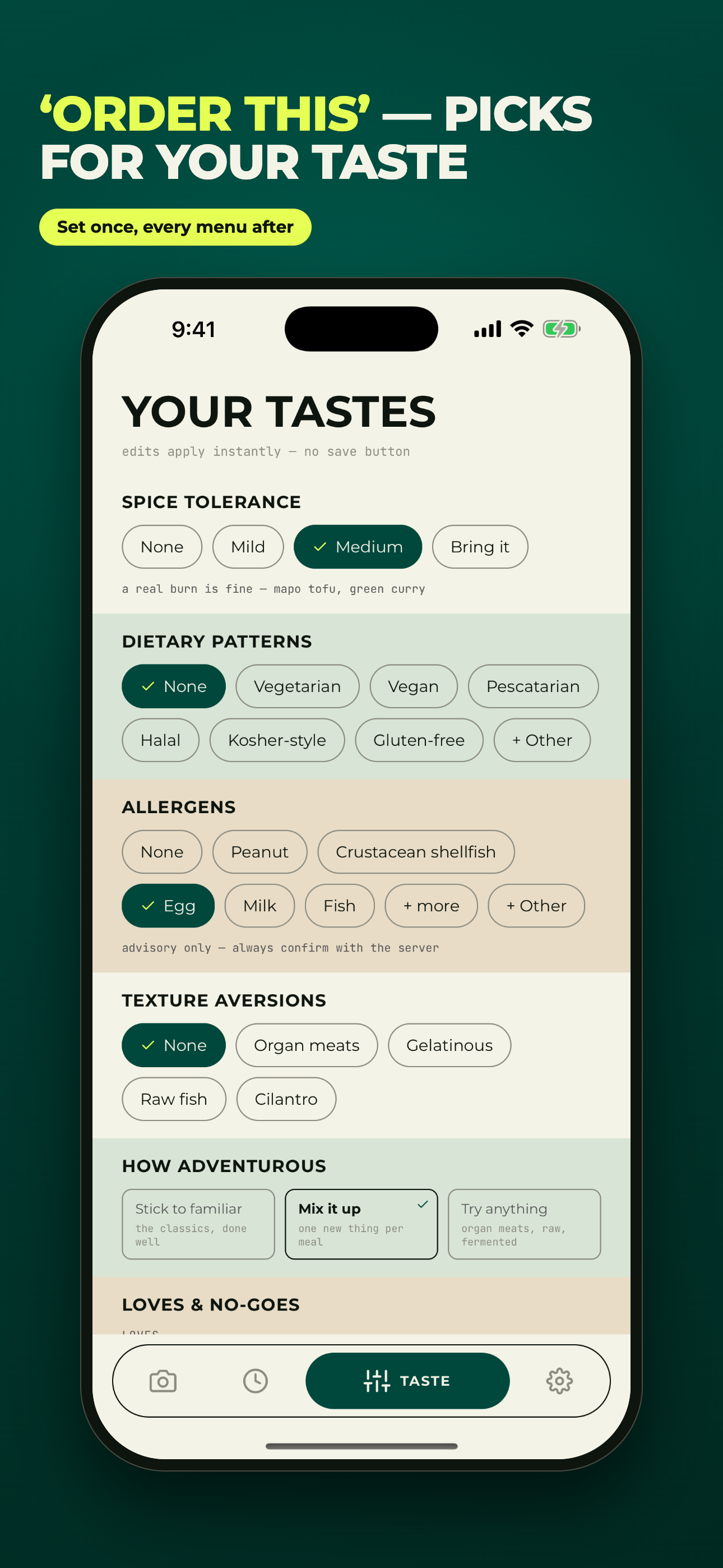
The Taste tab holds your spice tolerance, dietary patterns, allergens (the EU-14 and US Big 9 lists, plus your own), texture aversions and how adventurous you are. Edits apply instantly. Like dishes as you go and the profile learns from them between trips. Every scan is saved to History and reopens offline, so the menu from last night is still there this morning.

Medium spice Peanut Organ meats Try anything
YOUR TASTES: spice tolerance set to Medium, dietary patterns None, Peanut selected under allergens, Organ meats under texture aversions and 'Try anything' under how adventurous, with the tab bar on TASTE

How it works

Three steps, one menu.

STEP 01

Point it at the menu

Take a photo or pick one from your library. Up to two pages per scan. Nothing to type, no language to choose.

STEP 02

Read the board

In about half a minute every dish is explained, priced in your currency and grouped the way the menu groups it. Your two or three picks sit on top, each with its reason.

STEP 03

Order with the server

Open a dish, show them the native script, ask about anything flagged. Like what you ordered and the next menu's picks are ranked with that in mind.

Pricing

One scan is one menu. Pick a plan.

Every feature is in both plans — explanations, picks, allergen flags, dish photos, History and your taste profile. Only the number of scans differs. A scan is one menu of up to two pages.

Weekly

$5.99 / week

12 scans / wk · good for one trip

  • 12 menu scans each week
  • Every dish explained, picks, allergen flags
  • Dish photo lookups, up to 10 per scan
  • History and taste profile
Get the app
MonthlyBest value

$12.99 / month

30 scans / mo · works out to $3.00/wk

  • 30 menu scans each month
  • Every dish explained, picks, allergen flags
  • Dish photo lookups, up to 10 per scan
  • History and a taste profile that learns from your likes
Get the app
Try it first Your first scan is free — one real menu per device, no account and no card. Everything the plans do, once.
need more scans mid-trip? top-up packs never expire: 8 scans · $3.99 22 scans · $9.99 45 scans · $19.99

scans reset each renewal · unused scans don't roll over · top-ups are used after the period's scans · subscriptions renew until cancelled and are managed in iOS Settings · prices in USD, shown in your local currency on the App Store

Questions

Before you download.

What does it actually do with the photo?

It reads the menu and turns each line into a dish card: the name in the original script, a romanization, an English name, what it is and how it's cooked, what it tastes like, a heat level, the printed price converted to your currency, and any flags against your profile. Then it ranks two or three picks for you with a one-line reason. Illegible items are called out honestly ("2 handwritten items — unreadable") rather than guessed.

Is it only for travelling?

No. It works on any menu in any language, including an English menu for a cuisine you don't know well — a Sichuan, Ethiopian or Georgian place at home reads the same way. The taste profile carries over, so the picks improve wherever you eat.

Can I rely on the allergen flags?

Treat them as a heads-up, not a guarantee. MenuLens flags dishes that are likely or possibly to contain an allergen you've saved and tells you why (fish sauce in the dressing, wheat in the soy sauce). It never clears a dish as safe — it can't see the kitchen, shared fryers or substitutions. Always confirm with the server. If you have a serious allergy, the flags are a starting point for that conversation.

Do I need an account?

No. The app works without one, including the free scan and a subscription. You can add an email or Sign in with Apple later from Settings if you want your scans and taste profile to follow you to a new phone. You can delete your account and its data from Settings at any time. See the privacy policy for what's stored.

How do I cancel?

Subscriptions are handled by Apple. Open iOS Settings → your name → Subscriptions → MenuLens and cancel there; you keep access until the end of the paid period. Switching between weekly and monthly is done from Settings → Change Plan inside the app. Moving to a new iPhone? Tap Restore Purchases in the app.

Which devices does it run on?

iPhone only. There's no iPad layout and no Android version. Scanning needs a connection; if you're offline, the pages queue and process when you're back online, and every past scan reopens offline. Something not working? Support is one email away.

MenuLens for iPhone

Order like you can read it.

Your first menu is on us. Point the camera at it and see the board.

Download on theApp Store

app store listing coming with the 1.0 release